How to type a cursive signature online with handwriting fonts
Type is the fastest way to a clean, consistent signature image. Enter your name once, browse handwriting fonts, match your ink colour, and download a transparent PNG.
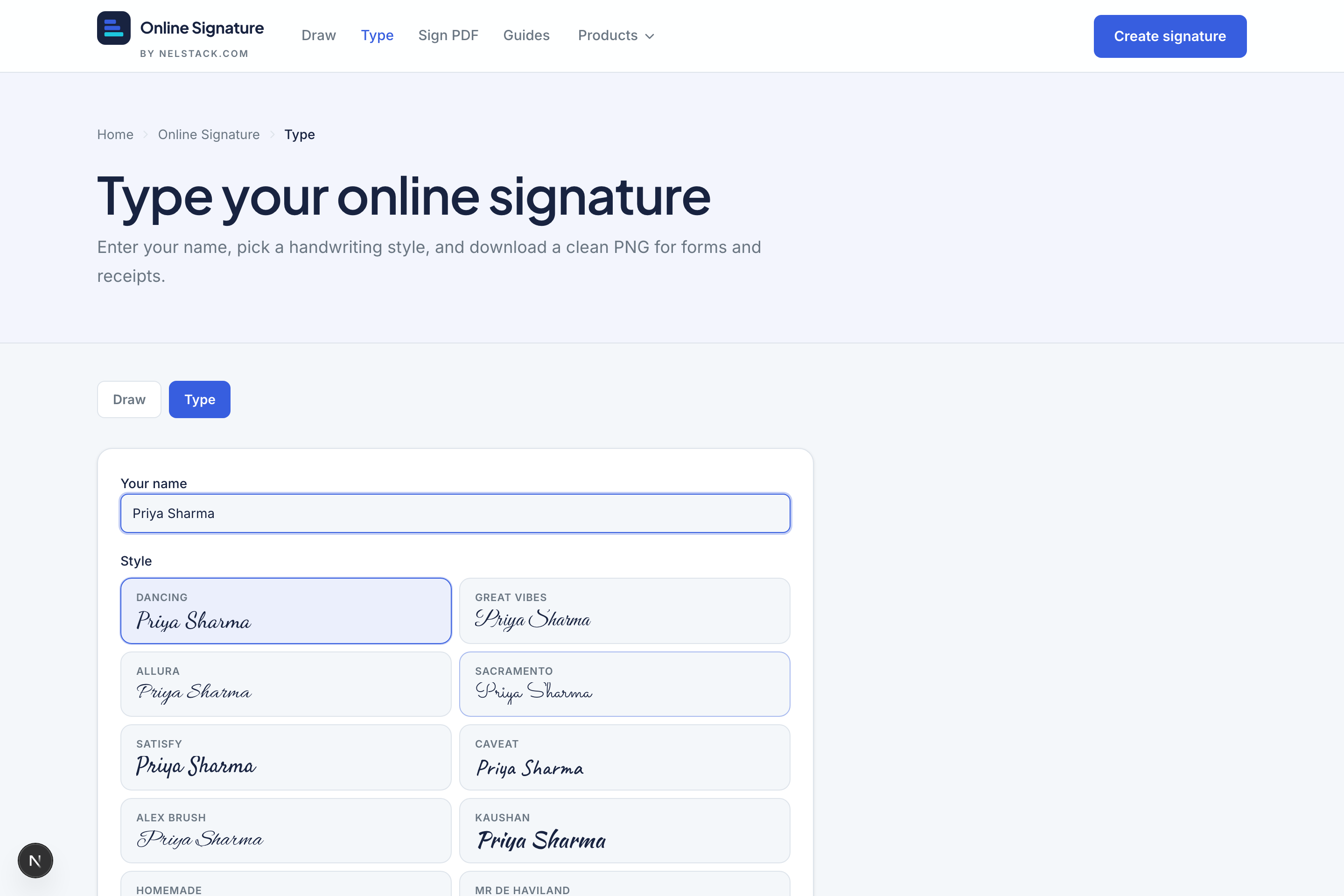
Type pad at a glance
- Name length
- Up to 80 characters
- Fonts
- 14 handwriting styles (Dancing Script, Great Vibes, Allura, Sacramento, Satisfy, Caveat, Alex Brush, Kaushan, Homemade, Mr De Haviland, Pinyon, Italianno, Yellowtail, Reenie Beanie)
- Ink
- Black, Blue, Green, Red + custom picker
- Export
- Transparent PNG (optional opaque white)
Step by step
- 1
Open Type
Go to Online Signature → Type. Optionally open a style from the home-page inspiration gallery — it deep-links with ?style=.
- 2
Enter your name
Type the exact wording you want on documents (full name, or first name only for initials-style marks).
- 3
Choose a font and ink
Click through fonts until the preview feels like “you”. Match ink to the document (blue for many Indian office forms, black for print).
- 4
Download the PNG
Keep transparency on unless the destination requires a white box. Save the file and drop it into Word, Sign PDF upload, or Rent Receipt Generator.
Initials tip
For an initials mark, type two or three letters and pick a denser font. Inside Sign PDF you can also place an Initials field and capture a short mark there.
Frequently asked questions
Which font looks most like a real signature?
Pinyon, Italianno, Alex Brush and Great Vibes lean formal. Reenie Beanie and Homemade look more casual. Try a few with your own name.
Can I deep-link a font style?
Yes. Open /online-signature/type?style=<fontId> to land on a specific handwriting style.
Is a typed signature good enough for rent receipts?
Many people use a typed PNG on rent receipts and informal forms. For high-stakes contracts, follow your local e-sign rules.
How many handwriting fonts are available?
Fourteen cursive styles, including Dancing Script, Great Vibes, Allura, Pinyon and Reenie Beanie. Preview updates live as you switch fonts.
Can I change ink colour on a typed signature?
Yes. Use black, blue, green or red presets, or pick a custom colour. Blue and black are the usual choices for Indian office forms.
Keep learning
- How to draw a signature online and download a transparent PNGDraw a handwritten signature with mouse or finger. Adjust ink, stroke style, smoothing and taper, then download a free transparent PNG — designed for browser processing.
- Capture a signature for PDF: type, draw, upload and saved marksHow the Sign PDF capture modal works: type with 14 fonts, draw on a pad, upload PNG/JPG, and reuse up to six saved signatures stored on your device.
- Online Signature in 5 minutes: draw, type and Sign PDFTour Nelstack Online Signature: draw or type a transparent PNG, then sign a PDF in your browser. Free, no signup, designed for browser processing.